

Ask an AI tool to build you a website and you’ll have something on screen in minutes. It will have a hero, a nav, a contact form, and a nice footer with a copyright year. It will look done.
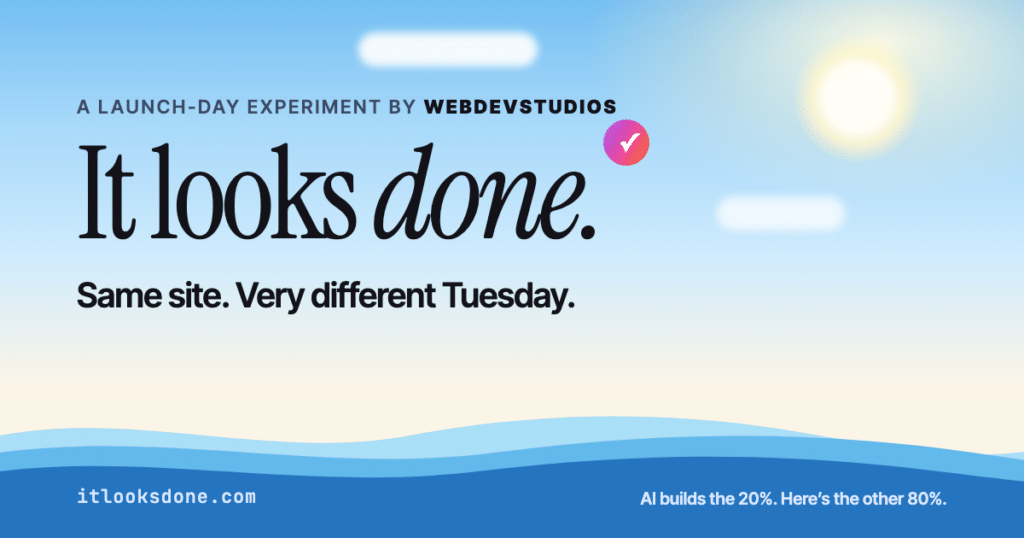
In September, we published Your CMS Was Doing More Than You Thought, about the work a CMS quietly handles that nobody notices until it’s missing. This time we wanted to show it, so we built a site about it: itlooksdone.com.
The short version: AI is very good at the 20% of a website you can see. It doesn’t ship the 80% you can’t, meaning the parts that get a site found, keep it secure, protect visitor data, and let a marketing team run it without filing tickets. WordPress handles most of that 80% out of the box. The rest is knowing which gaps to close.

Five prompts, a few hours, and a great design
We’re an AI-and-WordPress shop. We utilize the WordPress MCP Adapter so AI assistants can work directly inside WordPress, and we use AI in our own development every day. We love these tools. This post is about where their job ends.
On the design, Claude was excellent. In about five prompts and a few hours, it produced a complete, clickable prototype. It had the hero, the waterline where the visible site meets the hidden one, a scroll-driven launch-day clock, an itemized receipt, a confession booth, a self-check proof list, and a gut-check quiz. Every section on the live site today started in that prototype.
It got details right that plenty of human-built sites miss, too. It added ARIA labels and live regions for screen readers, and it respected visitors who turn off animation in their system settings. If we’d stopped there, we’d have had a beautiful file on a laptop.
The prototype looked done. It wasn’t.
The confession form validated your entry, filtered spam, and stamped it “LOGGED.” Then it sent your confession nowhere. Claude even left a note in the success message admitting that in the real build, entries would land in WordPress. The prototype itself saved nothing.
The cookie consent banner looked right and remembered your choice. It also blocked nothing, because there was nothing behind it to block or allow.
The page referenced a share image for LinkedIn and Slack previews, at a file path that didn’t exist. Paste that link anywhere and you’d get a gray box. The “check our work” section displayed a canonical tag as a code sample, while the page itself had no canonical tag at all.
None of this is a knock on Claude. A prototype is supposed to fake the plumbing. The risk is that a fake this good is easy to mistake for a finished site, especially if you’re not the one who’d have to debug it.
What our team built on WordPress
We used Claude’s prototype as the design reference and rebuilt the site as a custom WordPress block theme. Core blocks handle everything they can. Fifteen custom blocks handle the rest, including the launch-day timeline, the receipt, the confession booth, the gut check, and the proof checklist.
Every one of those blocks is editable in the WordPress editor. The receipt even pulls its line items from the launch-day timeline on the same page, so changing one event updates the bill. Our marketing team can change the story without asking a developer.
Then each fake in the prototype became real:
| The AI prototype | The WordPress site |
| Form said “LOGGED” and sent nothing | Validated on the server, stored in WordPress through Gravity Forms, emailed to our team, and works with JavaScript turned off |
| Consent banner that blocked nothing | Analytics aren’t loaded at all until a visitor opts in through CookieYes |
| Share image that didn’t exist | A real share image, with titles, descriptions, canonical tags, and an XML sitemap from Yoast SEO |
| No plan for typos or old links | Real 301 redirects through the Redirection plugin |
| No security posture | Automatic security updates, security headers, and code editing disabled in the dashboard |
| No policies | Accessibility, privacy, and cookie policy pages |
Notice what’s in that right-hand column. Yoast, Gravity Forms, CookieYes, and Redirection are plugins most WordPress teams already know. We didn’t invent the 80%. WordPress and its ecosystem already had it.
Why the build didn’t take long
The WordPress build went quickly. It went quickly because WordPress already ships most of the 80%. Core handles the sitemap, image sizes, user roles, revisions, and security releases, and nobody on our team wrote any of that. Well-known plugins covered most of what core doesn’t. That’s the argument from our September post, played out on a real website build.
It also went quickly because our team knew what “done” requires. Claude never asked whether the form needed server-side validation, whether analytics should wait for consent, or what happens when someone types /prodcuts instead of /products. It didn’t ask because nobody prompted for it. After 18 years of shipping WordPress sites, our team didn’t need the prompt.
That’s the gap AI can’t close for you yet. The code for the 80% isn’t the hard part. Knowing which parts of the 80% your site needs is.
What launch day looks like without the 80%
On itlooksdone.com, we play out the same launch day twice: once for a vibe-coded site, once for a WordPress site. As you scroll, the clock runs and the incidents pile up. Three of them are worth calling out here, because they’re the ones that land on a marketing team first.
The gray share card. Your CEO posts the launch on LinkedIn. The preview shows a gray box and a raw URL, because nobody set up share images or page descriptions. The post goes out to a few thousand people looking like a phishing link.
The flooded contact form. By lunch, the form has caught a few hundred spam submissions and maybe two real leads. You can’t tell which two, because the form has no spam filtering and no record of what came in.
The Friday security advisory. A library your site depends on gets a security patch late Friday afternoon. On WordPress, security releases apply automatically. On a site nobody owns, the question is who’s even going to see the advisory.
The site closes the day with an itemized receipt for each version. The dollar figures are an illustration, not an invoice, but every line item is a real thing that happens to real sites.
Check our site, then check yours
A site arguing about hidden infrastructure had better have some, so itlooksdone.com includes a checklist of claims you can verify on it. The same six checks work on any site. If AI built yours, run them before you launch. Each takes under a minute.
- Sitemap. Add /sitemap.xml or /sitemap_index.xml to your domain. You should see a list of your pages that nobody wrote by hand. Here’s ours.
- Redirects. Type a misspelled or retired URL, like /prodcuts. You should land on the right page, not a 404.
- Forms. Submit your contact form empty. It should refuse. Then send a real entry and confirm you can find it somewhere besides your inbox.
- Share card. Paste your link into LinkedIn or Slack. You should see an image and a description, not a gray box.
- Canonical tag. View the page source and search for rel=”canonical”. It tells search engines which URL is the real one.
- Consent. Decline cookies, then open your browser’s network tab and reload. Analytics scripts like Google Tag Manager shouldn’t load.
If it fails more than one or two, it isn’t ready for real visitors, however finished it looks. Ours passes all six, and you’re welcome to check.
Where’s your line?
Not every site needs the full 80%. A one-week campaign page, an internal tool for five people, or a prototype to get your leadership team excited are all great jobs for AI. Vibe away.
The line moves once a site has real stakes. That means multiple people editing it, leads or revenue running through it, visitor data you’re responsible for, legal exposure around accessibility and privacy, or an expected life measured in years. Past that line, the 80% isn’t optional, and it’s cheaper to build in on day one than to discover on launch day.
The site ends with a 10-second gut check: a few yes-or-no switches that tell you which side of the line your project sits on. Try it on itlooksdone.com.
Our advice is the same thing we did here. Use AI for the 20% it’s great at. Build the 80% on a platform that already does most of it, with people who know which gaps to close. If your next website needs built to last, talk to us!