

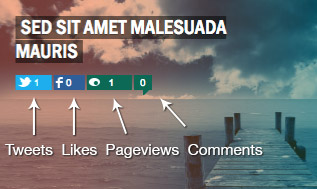
 Here at WebDevStudios we do a bunch of heavy lifting for clients. It’s rare for us to install “XYZ plug-in” and call it a day. One client wanted to display likes, tweets, page views, and comment counts, via custom buttons, for about twenty posts on the homepage. Talk about some overhead! I needed to find a fast solution, fast.
Immediately I got to work investigating how to grab all of this social data. To my surprise, I could not find a single resource that spelled it out. I spent hours on Google and StackOverflow and I’m happy to share my findings – all in one place.
To meet the clients needs, I needed to:
- Query each respective social network’s API with the post permalink
- Bail if there is an error
- Receive results in either JSON or XML form
- Parse the results and extract our “total count”
- Store the total count in transient cache
- Finally, write the total count into our HTML
Get total number of Tweets
[snippet slug=get-tweet-count-from-twitter-api-v1-1]
The above function looks delightfully simple, because it is. I did all five steps in less than 30 lines of code.
Get total number of Facebook Likes, Shares, and FB Comments
[snippet slug=get-facebook-likes-and-shares]
The function above is almost exactly the same as the tweet function. We’re using Facebook Query Language (FQL) to extract granular data because Facebook’s Open Graph doesn’t allow you to extract individual counts based on post’s permalink. (Read more about getting “shares” data via Open Graph on StackOverflow).
Note: I left “share_count“, “like_count“, and “comment_count” in the example just in case you wanted to mix or match. Just know, “total_count” is a sum of the aforementioned totals.
Get total number of Pageviews from Jetpack
[snippet slug=get-pageview-count-from-jetpack]
The above function will ask Jetpack to give us the total pageviews over 30 days for our post.
Get total number of Comments
[snippet slug=get-post-comment-count]
The function above requires no third-party API and works with Disqus.
Create social media icons function
[snippet slug=social-media-icons-function]
This function is what I used to create the HTML markup to display icons and total counts.
Use wds_social_media_icons(); in the loop
[snippet slug=use-the-social-media-icons-in-the-loop]
Now, I can use the function: wds_social_media_icons(); anywhere inside the loop, and the counts will show up!
The functions are split into separate functions, so you can use all or none. Totally modular. I hope these examples help you with your next project, and to view the full output of this post, (with loop example) check out this Gist. Now you know how to display likes, tweets, page views, and comment counts…and ALL THE THINGS!
$count = absint( $json[0]->total_count ); gives me Fatal error: Cannot use object of type stdClass as array in …….functions.php on line 512
Hello and thanks for share this code. I have the same error than Joe Barret:
$count = absint( $json[0]->total_count );
Fatal error: “Cannot use object of type stdClass as array”
Any idea?