Meet WordPress Agency WebDevStudios
WebDevStudios is owned and operated by pioneers in the WordPress industry, Brad Williams and Lisa Sabin-Wilson. Since its establishment in 2008, the WordPress agency has expanded to a highly skilled group of designers, developers, and project managers dedicated to delivering amazing client results.

-
Dedication.
In 2008, trailblazers in the WordPress ecosystem established WebDevStudios, which has since evolved into a powerhouse WordPress agency. Over the years, our team of talented designers, developers, and project managers has grown. We all share a passion for strengthening the very core of WordPress itself and making the web a better place. Our WordPress agency is committed to innovation and excellence, continually pushing the boundaries of what this remarkable open-source platform can achieve, while delivering cutting-edge solutions to our clients. WebDevStudios has a rich history rooted in WordPress innovation, and we remain dedicated to shaping the digital landscape.
-
Code poets.
WebDevStudios prides itself on being experts in WordPress. We work tirelessly to ensure our entire distributed team is up-to-date on emerging web technologies by providing our employees with opportunities for continual education. Our agency is more than WordPress designers and developers; we are code poets and active members of the robust WordPress community. Through our participation in initiatives like Five for the Future, we dedicate a portion of our time to giving back. It’s our way of nurturing the ecosystem that has given us so much while ensuring a robust future for WordPress, its global community, and every single WordPress website owner.
-
Amazing Experiences.
At WebDevStudios, we don’t just create websites; we engineer amazing digital experiences. Our expertise lies in tailoring WordPress solutions for mid-size and enterprise-level organizations, where every line of code and every design element is meticulously crafted to deliver unparalleled user interactions. We believe in the power of WordPress as a versatile platform, and we harness its potential to create visually stunning, user-friendly websites that captivate, convert, and leave a lasting impression. From intuitive navigation to seamless checkout processes, we focus on every detail to ensure a flawless user experience.
-
Security.
Security isn’t just a feature; it’s the very foundation upon which WebDevStudios builds your digital presence. Our team of seasoned experts is dedicated to crafting rock-solid WordPress solutions that are impenetrable to hackers. We prioritize security at every stage of development, ensuring that your project is safe and fortified against any potential threats. Beginning with a website audit, we can analyze current security threats. Our ongoing development and support services provide continuous monitoring and swift responses to emerging threats, guaranteeing that your website remains secure and resilient.
-
Trust.
It’s our belief that trust is the cornerstone of our relationship with clients at WebDevStudios. With an impressive 15 years of experience in WordPress design and development, we have not just witnessed the evolution of the industry; we have been the architects of transformative digital experiences. Our extensive track record speaks volumes, showcasing a legacy of successful projects and satisfied clients. We are not just a WordPress agency but a trusted name, renowned for our expertise, reliability, and commitment to excellence. Our clients say the nicest things! Continue to scroll down to see some of their testimonials.
-
Relationships.
WordPress agency WebDevStudios recognizes that client collaboration isn’t just a phase; it’s a core principle embedded in our work ethos. Our company understands that building a successful website is not merely a transaction; it’s a partnership. From the initial brainstorming session to the final website launch, we prioritize open lines of communication, ensuring that our clients are informed and actively involved in the process. What sets us apart is our commitment to enduring relationships. We don’t abandon our clients after launch. We introduce them to their new WordPress platform and empower them every step of the way.
We Are A Distributed Company
WebDevStudios is a distributed company with team members across the globe. Our team of motivated developers and designers have contributed code to the open source software projects of WordPress and BuddyPress, so we are intimately familiar with the code base of the chosen platforms and will work with you to provide solutions that work. We have extensive experience in providing custom solutions to our clients in a timely and cost effective manner.





We Build Great Things with Great Clients








We Wrote the Book(s) on WordPress
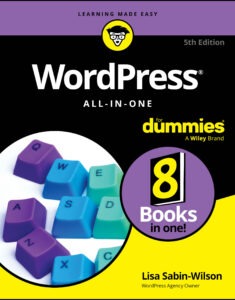
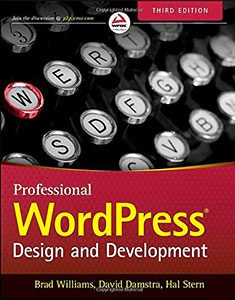
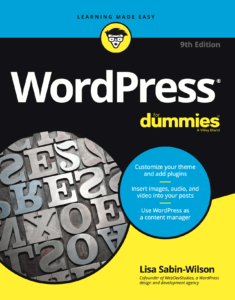
WebDevStudios believes in the open-source nature of WordPress and sharing our knowledge. That's why for the past 10 years we've been writing books to help everyone from seasoned developers to bloggers new to the web to understand and harness the power of WordPress.